







WP2Shell WordPress Vulnerability: Critical Facts and How to Respond

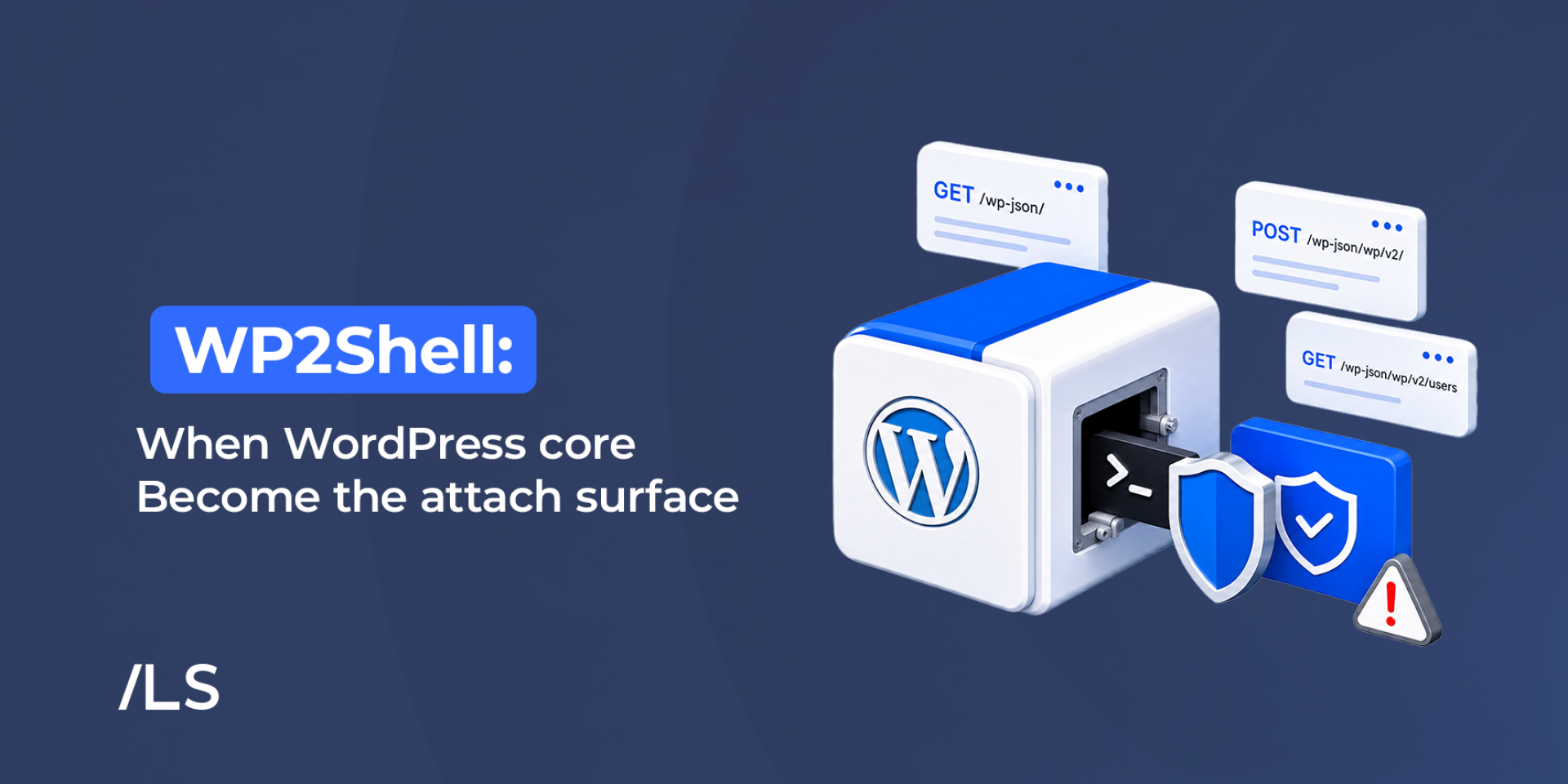
Most WordPress security stories begin in familiar territory: an outdated plugin, an abandoned theme, or a weak administrator password.
WP2Shell did not.
This time, the weakness was inside WordPress core—the software at the heart of every WordPress website. It did not depend on a vulnerable third-party plugin, and an attacker did not need a valid username or password to attempt exploitation.
When WordPress published the security updates on 17 July 2026, the public saw a short and urgent instruction: update WordPress immediately.
Behind that message, however, a much larger response was already underway. Researchers, the WordPress security team, hosting providers, web application firewall operators, and runtime-security vendors were working across different layers of the Internet to close the window before attackers could take advantage of it.
At Libyan Spider, that response meant more than installing an update. It meant identifying affected websites, applying protective controls, watching for exploitation attempts, coordinating with our security partners, and helping customers understand what they needed to do next.
This is the story of WP2Shell: what happened, why it mattered, how the WordPress ecosystem responded, and what website owners should learn from it.
Table of Contents
How Did the WP2Shell Vulnerability Work?
WP2Shell is the name given to an attack chain involving two vulnerabilities in WordPress core:
- CVE-2026-60137: a SQL injection vulnerability.
- CVE-2026-63030: a vulnerability involving confusion in how the WordPress REST API batch endpoint matched and processed requests.
Individually, each issue was serious. On affected WordPress branches, however, the two could be combined to reach a far more dangerous result: unauthenticated remote code execution, commonly known as RCE.
In plain language, an attacker could potentially send specially crafted requests to a vulnerable website and cause it to execute malicious code—without first logging in.
The WordPress team classified the release as addressing one critical and one high-severity security issue. Because of the risk, forced automatic updates were enabled for affected installations. WordPress recommended that website owners update immediately.
WP2Shell reinforced a fundamental lesson: vulnerability readiness begins before a vulnerability has a name.
Why was this incident different?
WordPress vulnerabilities are not unusual, but critical vulnerabilities in WordPress core are comparatively rare.
The distinction matters.
A vulnerable plugin affects websites where that specific plugin is installed and active. A core vulnerability can potentially affect standard WordPress installations across many different industries, hosting environments, and geographic regions.
WP2Shell also required no valid WordPress account to begin an attack. That removed one of the barriers an attacker would normally face.
Once technical details and proof-of-concept material became public, the vulnerability could be tested at Internet scale. Attackers did not need to know what business operated a website or whether it held valuable information. Automated systems could simply scan large numbers of websites, send the relevant requests, and look for those that responded as expected.
This changed the task from “patch when convenient” to “reduce exposure now.”
Which WordPress versions were affected?
Not every WordPress version had the same exposure.
| WordPress version | Exposure | Fixed version |
| 6.8.0–6.8.5 | Affected by the SQL injection vulnerability, but not the complete unauthenticated RCE chain | 6.8.6 |
| 6.9.0–6.9.4 | Affected by both vulnerabilities and the complete RCE chain | 6.9.5 |
| 7.0.0–7.0.1 | Affected by both vulnerabilities and the complete RCE chain | 7.0.2 |
| Earlier than 6.8 | Not affected by these two vulnerabilities | Continue normal security updates |
WordPress 7.1 Beta was also affected, with the fixes included in WordPress 7.1 Beta 2. These branch-specific details and backported fixes were confirmed in the official WordPress security release.
The version distinction is important. WordPress 6.8 needed an urgent security update, but it was not vulnerable to the complete unauthenticated remote-code-execution chain. WordPress 6.9 and the affected WordPress 7.0 releases faced the broader risk.
What could a successful attack do?
Remote code execution does not describe one single outcome. It describes a level of access from which an attacker may attempt several different actions.
Depending on the hosting environment, account permissions, and security controls in place, successful exploitation could potentially lead to:
- Malicious code running under the website’s hosting account.
- Access to information stored in the WordPress database.
- Creation of unauthorized administrator accounts.
- Installation of malicious plugins or PHP files.
- Deployment of webshells or other persistent backdoors.
- Changes to website content or redirection of visitors.
- Theft of configuration data or authentication material.
- Use of the website for phishing, malware distribution, or spam.
- Attempts to reach other applications under the same hosting account.
The word “potentially” matters. A request targeting a vulnerable endpoint does not prove that the attempt succeeded. A security product blocking a request is also not evidence that the website was compromised.
But the opposite is equally important: updating WordPress closes the vulnerable code path, yet it does not automatically remove malicious files or accounts created before the update.
For that reason, a website showing credible signs of exploitation needs an incident investigation—not only an update and a quick malware scan.
The work began before the public announcement
For most website owners, the story began when the update notification appeared in the WordPress dashboard.
For the people coordinating the response, it began earlier.
The vulnerabilities were reported privately through responsible disclosure. This gave the WordPress security team time to reproduce the issues, understand their impact, prepare fixes, and coordinate with selected hosting and infrastructure providers.
Those providers then worked at different layers:
- WordPress corrected the vulnerable core code.
- Hosting providers prepared their environments and update processes.
- Web application firewall providers developed protections for malicious requests.
- Runtime-security providers prepared behavioral detection and blocking.
- Monitoring teams looked for exploitation attempts and signs of compromise.
- Support teams prepared practical guidance for customers.
As Aaron Campbell explained in his account of the response, protection was already moving across the WordPress ecosystem before most website owners knew that a vulnerability existed. His account highlights why coordination itself became part of the protection.
No single layer could solve the entire problem. The value came from having several layers working at once.
What WordPress changed
On 17 July 2026, WordPress released:
- WordPress 7.0.2
- WordPress 6.9.5
- WordPress 6.8.6
- WordPress 7.1 Beta 2
The updates corrected the vulnerable database-query handling and REST API batch-route behavior.
Because of the severity, WordPress also activated forced automatic updates for affected installations. This helped move the patches to a large number of websites quickly, including websites whose owners may not have been watching the security announcement.
That automatic response was valuable, but it was not infallible.
A WordPress update can fail or remain incomplete because of file-permission problems, disabled background updates, insufficient disk space, custom modifications, server errors, or an installation that was already unhealthy.
For website owners and hosting providers, the real task was therefore not simply to initiate updates. It was to verify that the correct version was actually running.
How Libyan Spider responded
As a cloud and hosting service provider, we approached WP2Shell as an ecosystem-wide security event rather than an isolated software update.
Our response to WP2Shell began by identifying WordPress installations running potentially affected versions.
Our response followed a defense-in-depth model: identify exposure, patch the vulnerable software, place additional controls around it, watch for suspicious activity, and communicate clearly with customers.
Identifying potentially affected websites
Our first priority was visibility.
We reviewed WordPress installations across the applicable hosting and managed-service environments, with particular attention to the affected WordPress 6.9 and 7.0 branches.
The installed version was only the starting point. We also needed to determine whether the security release was available, whether an automatic update had started, and whether it had completed successfully.
This distinction is easy to overlook. An update notification, a scheduled task, or an enabled auto-update setting does not necessarily mean that the website reached the patched version.
Prioritizing and verifying updates
Affected installations under the relevant management scope were prioritized for the appropriate security release.
Where updates were applied, we continued checking their results. This helped identify installations where technical conditions could prevent or delay the update.
For websites outside a managed scope, we issued guidance so their owners or administrators could take the required action directly.
Our objective was not only to tell customers that an update existed. It was to help them understand which version they needed and why they should confirm the result.
Adding protection around the application
Patching was the permanent correction, but websites also needed protection during the time required to distribute and verify the updates.
Where applicable, we used additional application and infrastructure controls to reduce exposure. These included web application firewall protections and runtime-security capabilities.
For eligible websites proxied through Cloudflare, managed WAF protections could identify and block requests associated with the vulnerabilities. Cloudflare stated that it deployed protections on 17 July for free and paid customers whose WordPress traffic passed through its WAF. Cloudflare’s technical advisory also makes an essential point: WAF protection reduces exposure, but it does not replace updating WordPress.
A WAF can stop a request at the edge. The WordPress update fixes the vulnerable code. Runtime protection can intervene when suspicious behavior reaches the server. Monitoring can help determine what happened before or between those controls.
Each layer addresses a different part of the problem.
Monitoring for exploitation
As public attention grew, so did the need to distinguish background Internet scanning from activity that required investigation.
Our monitoring focused on indicators associated with the disclosed attack path and its possible aftermath, including:
- Requests directed at the WordPress REST API batch endpoint.
- Alternative formatting of the rest_route parameter.
- Known WP2Shell request patterns and unusual REST API activity.
- Unexpected PHP files or changes to website files.
- Webshell and malware indicators.
- Newly created or unfamiliar WordPress administrator accounts.
- Suspicious activity following requests to the affected endpoints.
- Repeated activity from sources associated with broader exploitation attempts.
Logs rarely tell a complete story through one line alone. A request to a targeted endpoint may represent a scan, a failed attempt, a blocked exploit, or successful exploitation. It must be correlated with the response, the WordPress version at that moment, file changes, security events, and subsequent activity.
That context is what turns raw log entries into useful incident evidence.
Notifying customers
A critical advisory should give customers something useful to do. Alarm without direction only adds noise.
Our communications focused on the questions website owners actually needed answered:
- Is my WordPress version affected?
- Which version should I install?
- Can I rely on the automatic update?
- How do I confirm that the update succeeded?
- What should I check if the website remained exposed?
- When should suspicious activity be treated as an incident?
- How can I request assistance?
We published security guidance and used our available communication channels to notify clients and direct them toward the appropriate actions.
This communication remains part of the response. Vulnerability information can evolve after the initial announcement, especially when researchers and defenders observe how real attackers adapt their methods.
How Monarx helped at the runtime layer
Our security partner Monarx played an important role in the layered response.
Traditional vulnerability management often begins with a known vulnerability and ends with a patch. Runtime protection works differently: it watches what applications and scripts are doing inside the hosting environment and can respond to behavior that resembles exploitation or post-exploitation activity.
For WP2Shell, Monarx’s ThreatShield provided behavioral protection covering suspicious REST batch requests, unauthenticated manipulation of sensitive query parameters, and patterns associated with the deployment of webshells.
Crucially, this protection was prepared and deployed before the vulnerability became public. According to Monarx, its rules began blocking active attempts shortly after disclosure, demonstrating how small the gap was between publication and widespread attack traffic. You can read the Monarx analysis of WP2Shell and its runtime response.
This gave protected environments another opportunity to stop malicious behavior while WordPress updates were still moving across installations.
It would be misleading, however, to describe runtime protection as a replacement for patching. Monarx itself presents it as a compensating control.
The distinction is straightforward:
- The WordPress update removes the vulnerable condition.
- The WAF attempts to stop malicious traffic before it reaches WordPress.
- Runtime protection watches application behavior within the hosting environment.
- Malware monitoring looks for harmful files and persistence.
- Logs and incident-response processes help determine whether an attack succeeded.
- Backups provide a recovery path when prevention is not enough.
Good security rarely depends on one product catching everything. It depends on several controls giving defenders more than one chance to stop, detect, contain, or recover from an attack.
What should website owners do now?
Even if your website appears to be working normally, verify its WordPress version.
A compromised website does not always display a warning, redirect visitors immediately, or become unavailable. Attackers may prefer to remain quiet and preserve access.
1. Confirm the installed WordPress version
Your website should be running the patched release for its branch:
- WordPress 7.0.2 or later
- WordPress 6.9.5 or later
- WordPress 6.8.6 or later
If a newer supported release is available, use that release unless a documented compatibility requirement prevents it.
2. Verify the update instead of assuming it happened
Check the WordPress dashboard or your hosting-management interface.
Automatic updates were forced for affected versions, but update failures are possible. Confirm the version displayed by the installation itself and review any reported update errors.
3. Check privileged accounts
Review all WordPress administrator accounts.
Look for unfamiliar users, unexpected email-address changes, newly elevated privileges, or accounts created during the period when the website was exposed.
4. Review files and plugins
Check for:
- Recently created or modified PHP files.
- Plugins you do not recognize.
- Unexpected files inside upload or cache directories.
- Modified WordPress core files.
- Obfuscated or encoded PHP code.
- Files designed to imitate legitimate WordPress components.
Core-file integrity checks can help, but they should not be the only test. Malicious files are often placed outside normal core directories.
5. Review available logs and security events
If the website remained on an affected WordPress 6.9 or 7.0 release after the disclosure, review relevant access logs and security alerts.
Pay particular attention to activity targeting REST API routes, unexpected file changes, new administrator accounts, and suspicious events that occurred after those requests.
6. Maintain verified backups
Keep recent copies of both the website files and its database.
A backup should not be considered reliable merely because a backup job reports success. Periodic restoration tests are the only dependable way to confirm that the backup is complete and usable.
Also consider whether the backup was created before or after any suspected compromise. Restoring an infected backup can reintroduce the same problem.
7. Use layered protection
WordPress security should not begin and end with core updates.
A stronger approach combines:
- Timely updates.
- A web application firewall.
- Runtime protection and malware monitoring.
- Restricted administrative access.
- Multi-factor authentication.
- File-change visibility.
- Reliable, tested backups.
- Centralized monitoring and security notifications.
8. Treat credible evidence as an incident
If you discover a webshell, an unauthorized administrator, unexplained file changes, or other credible signs of exploitation, do not treat the matter as an ordinary update task.
Preserve the available logs, limit access where practical, rotate relevant credentials, and begin a structured investigation. Updating WordPress is still necessary, but it should become one action within a broader incident-response process.
9. Avoid broad fixes that may break the website
Blocking the entire WordPress REST API may appear to be a quick solution, but many WordPress features, plugins, editors, and integrations depend on it.
Temporary restrictions should be targeted and tested. A security control that unexpectedly interrupts legitimate services can create a second incident while trying to contain the first.
What WP2Shell taught us
WP2Shell was a reminder that vulnerability response is no longer a simple sequence in which a flaw is announced, administrators read about it, and patches are installed over the following weeks.
The sequence can now move in hours.
A vulnerability becomes public. Technical details circulate. Automated scanners begin searching for targets. Attack traffic changes as attackers learn which request formats are blocked. Defenders adjust their rules while updates continue moving across millions of websites.
Preparation matters long before the vulnerability has a name.
That preparation includes accurate inventories, reliable update mechanisms, trusted security partnerships, tested monitoring, incident-response procedures, and communication channels that customers already know how to follow.
It also includes coordination. Researchers disclosed the vulnerabilities responsibly. WordPress prepared and distributed the fixes. Infrastructure providers added protection at the network edge. Runtime-security providers watched what applications did inside the server. Hosting teams monitored their environments and communicated with customers.
The overlap was not duplication. It was the defense.
Our work continues
Installing the security update was an essential milestone, but it was not the end of our response.
At Libyan Spider, we will continue to:
- Monitor changes in exploitation patterns.
- Review relevant security telemetry.
- Improve visibility across WordPress installations and versions.
- Verify applicable protection coverage.
- Work with security partners such as Monarx.
- Refine our customer guidance as verified information develops.
- Help customers investigate suspicious activity where support is requested.
Operational notices and service updates are published through the Libyan Spider Status Page. Customers should also follow our Security Center for future advisories, practical recommendations, and updates affecting the services they use.
If you believe your WordPress website may have been exposed or compromised, contact our support team. Include the domain name, the WordPress version currently installed, the approximate time of any unusual activity, and copies of relevant alerts or error messages.
WP2Shell moved quickly. The response had to move faster—and it showed why security works best when software vendors, infrastructure providers, security partners, and website owners act as one connected ecosystem.
Share:














Leave a Reply