


375 Million Requests in 30 Days: What Website Security Data Reveals


A website can look perfectly normal while its security tools are blocking suspicious activity. Customers browse products, submit inquiries, and book appointments. The business sees a working website. The security reports show another part of the picture.
To understand what website security looks like behind the scenes, consider the activity recorded across websites included in Libyan Spider’s reporting.
Over a 30-day period, Cloudflare recorded 375.41 million web requests and 7.7 TB of data transferred. Separately, Patchstack reported 420.8K under its blocked-threats metric.
These figures measure different activities. Together, they offer a useful starting point for understanding how website protection works, what security reports can tell us, and which questions businesses should be asking.
What 375 Million Requests Tell Us About Website Security

Every webpage creates activity beyond the page itself. Loading images, stylesheets, and scripts can require multiple requests. One customer browsing a few pages may therefore generate many requests.
The Cloudflare total works out to roughly 12.5 million requests a day across the reporting scope. It measures traffic handled, rather than individual visitors or attacks.
For a business, the challenge is deciding which requests should reach the website. A customer opening a product page needs access. A request attempting to exploit a vulnerable component needs a different response.
The traffic total alone cannot tell us how much activity was malicious. It does, however, show the volume of activity that traffic filtering operates on. Understanding the security picture requires looking beyond the headline total to the actions taken and the reasons behind them.
Almost all requests were encrypted. What does that cover?
In the Cloudflare report, 97.50% of requests used encrypted connections, accounting for approximately 366 million requests. Encrypted connections also carried 98.55% of the transferred data.
Encryption protects information while it travels. That matters when someone submits contact details, signs in, or sends information through a business website.
There are two connections to consider when Cloudflare sits between a visitor and the hosting server: the connection from the visitor to Cloudflare, and the connection from Cloudflare to the server. The reported encryption percentage does not, by itself, establish that both are properly secured. Cloudflare’s SSL/TLS configuration controls how the origin connection is handled, with Full (strict) also validating the server’s certificate.
The practical question for website owners is straightforward: has encryption been checked all the way to the hosting server?

What the blocked-threat figure adds
Patchstack’s report recorded 420.8K under its blocked-threats metric. This is the figure in the supplied data most directly associated with security blocking activity.
It deserves careful interpretation. A blocked event is not a compromised website, and the figure should not be presented as 420,800 separate attackers or independently verified hacking attempts.
Its relevance is clearer when we consider how business websites are maintained.
A WordPress website may use different plugins for forms, bookings, payments, and other functions. Each installed component becomes part of the software the business needs to maintain. The site may continue accepting inquiries even when one of those components has a known vulnerability.
Patchstack identifies known vulnerabilities in installed components and provides virtual patches for supported vulnerabilities. These protection rules help block exploitation without modifying the affected software. The underlying component still needs attention.
For the business, that means a security notification needs an owner. Someone must review the finding, decide what to update or replace, and confirm the work is complete.
A working contact form does not tell you whether the plugin behind it is secure.

Why protection needs more than one layer
Consider a company that receives most of its quotation requests through its website. Protecting that service involves several separate jobs:
- Inspecting incoming traffic and handling malicious requests.
- Tracking vulnerabilities in the software running the website.
- Detecting malicious files within the hosting environment.
- Maintaining a usable backup if recovery becomes necessary.
This is why Libyan Spider offers different security solutions. Their roles overlap in places, but each addresses a different part of the environment.
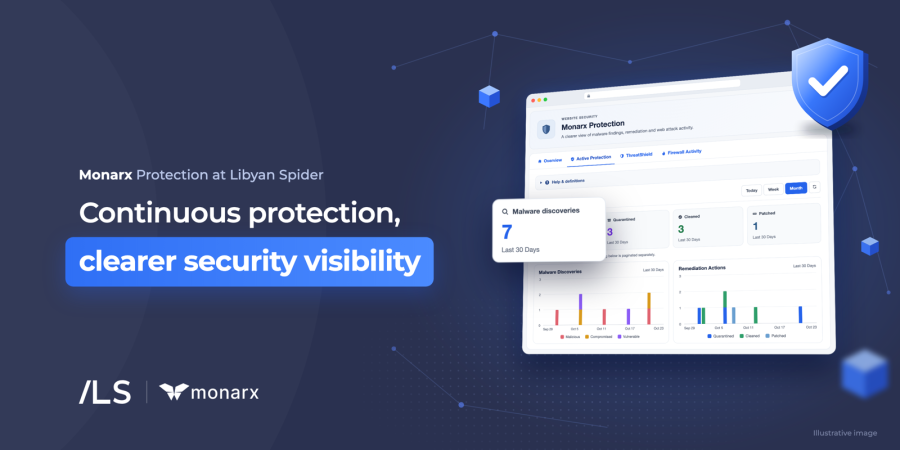
Cloudflare provides protection at the traffic layer. Patchstack focuses on known application vulnerabilities, particularly in WordPress and its components. Monarx adds malware detection within the hosting environment, with automatic remediation available when Active Protection is enabled.
That last distinction matters: detection and automatic remediation are separate capabilities. A service can report malware but still require further action to remove or quarantine it. Website owners should know which features are enabled and who responds to findings.
The useful question is whether the protection in place covers the website’s actual risks—and whether anyone is acting on what it finds.
Four checks worth making now
The reports provide visibility into activity. Turning that visibility into protection requires a few clear responsibilities.
Check who maintains the website.
Identify the person or provider responsible for the CMS, plugins, themes, and custom code. Agree how security updates are prioritized, including what happens when an affected component no longer receives support.
Check where security alerts go.
Make sure notifications reach someone who can investigate and act. An alert delivered to an unused mailbox will not help the business resolve a problem.
Check administrator access.
Review who can sign in, remove accounts that are no longer needed, enable multi-factor authentication where available, and limit permissions to each person’s role.
Check that recovery works.
Confirm what the backups contain, how recent they are, and when you last tested a restoration. For a business receiving orders or inquiries online, the recovery plan should account for the information created since the last backup.
These checks make security easier to manage because each has an answer, an owner, and a next action.
The business value is in what happens next
A blocked-threat counter is useful evidence of security activity. It cannot tell the whole story of how well a business is protected.
The more useful test is operational: are vulnerabilities addressed, are findings investigated, are administrator accounts controlled, and can the website be restored when needed?
For a business that depends on its website, those answers affect the ability to keep receiving inquiries, serving customers, and taking orders.
Unsure what your current website protection covers? Contact Libyan Spider to review your security setup, identify gaps, and discuss the protection best suited to your website and hosting environment.
Share:








Leave a Reply